

With a shared hosting plan, you rent space on a server you never see. The web server, PHP, the database, email and the operating system are installed, updated and monitored by the host. You get an account, a control panel and access to your files: it's the most common setup for brochure sites, blogs and small online stores.
How shared hosting works
Each customer gets a separate system user, a home directory and their own databases. The control panel, often cPanel, Plesk or an in-house interface, is used to create email addresses, databases and subdomains and to pick the PHP version. Each account's PHP scripts usually run under that account's identity, for example through PHP-FPM pools, which the PHP documentation describes as a way to start workers with a different uid, gid and php.ini.
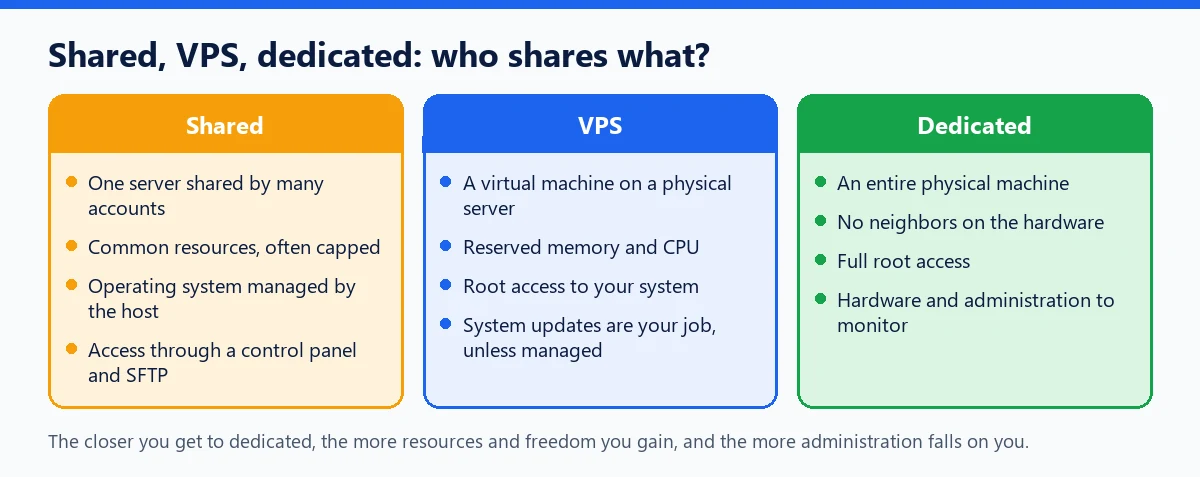
Because CPU, memory and disk are shared, the host sets limits: number of simultaneous processes, memory per account, number of files (inodes), write throughput. Tools such as CloudLinux and CageFS exist precisely to isolate accounts and limit the impact of a resource-hungry neighbor.
Pros and cons
- Simplicity: no operating system to install or update, backups and certificates often included.
- Low cost: the server's cost is spread across many customers.
- Capped resources: a traffic spike or a heavy plugin quickly hits the account's limits, which shows up as slowdowns or error pages.
- Restricted configuration: no root access, a limited choice of modules, no service such as Redis unless there's a specific add-on.
Security: the neighbors
ANSSI, the French national cybersecurity agency, lists shared hosting among the three main risk areas of IT outsourcing. Sharing a machine requires solid isolation between accounts: if a neighboring site is compromised and isolation is weak, it can serve as a foothold. A good host separates users, applies system patches quickly and offers PHP versions that are still supported. On your side, WordPress security is still entirely your responsibility: updates, passwords, plugins and settings.
For WordPress
- Choose a supported PHP version in the panel: WordPress currently recommends PHP 8.3 or later, and MySQL 8.0 or MariaDB 10.11 at a minimum. The PHP settings available on shared hosting are covered in our guide to hardening PHP on a hosting account.
- Find out which web server is in use (Apache, LiteSpeed, Nginx as a proxy): it determines whether the .htaccess file is honored and which cache plugin fits best. Our page on compatible servers and caches sums up the common combinations.
- Check the tools provided, as in this example of a French shared host: firewall, malware scanning, backups you can restore yourself.
- Keep a backup outside your host: the one in the panel disappears along with the account.
When to move on
Shared hosting works as long as the site stays within the account's limits. If you regularly hit the caps, or need a specific service or fine-grained control over the server, a virtual private server or a dedicated server takes over, with the trade-off that administration becomes your job, unless you hand it to a provider.