
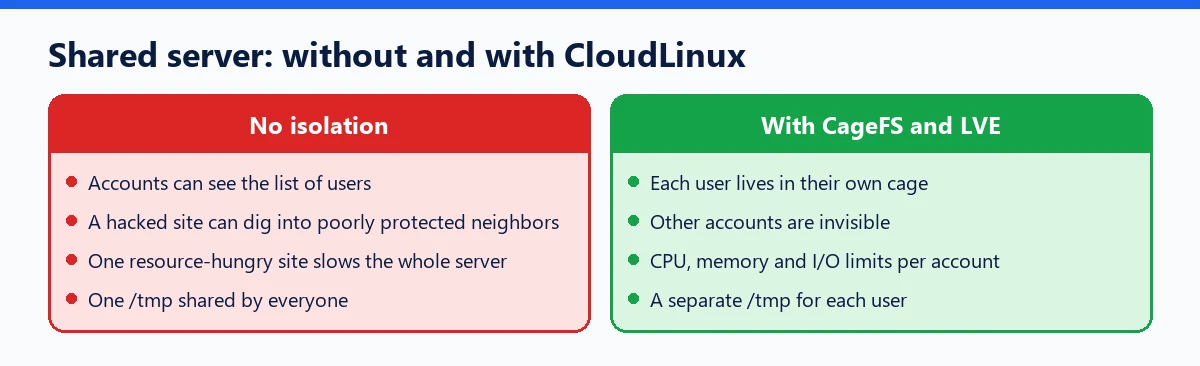
On a shared server, hundreds of accounts share the same system. That creates two risks: one site hogging resources at the expense of the others, and one compromised site serving as a foothold to reach its neighbors. CloudLinux, widely used by hosts running cPanel, Plesk or DirectAdmin, addresses both problems with two separate components.
LVE: per-account limits
LVE (Lightweight Virtual Environment) is a kernel-level technology that places each account in its own resource container. The CloudLinux documentation describes its main limits:
- SPEED: the share of CPU, as a percentage of one core;
- PMEM: physical memory; going over it can get processes killed and cause 500 or 503 errors;
- IO and IOPS: disk throughput and operations per second; processes are slowed down, not stopped;
- EP (entry processes): simultaneous entries into the container, such as PHP requests, SSH sessions or cron jobs; past the limit, the site returns a 508 “Resource Limit Reached” error without affecting other sites;
- NPROC: the total number of processes and threads.
Limits on inodes, in other words on the number of files, can also be set on the /home partition.
CageFS: one cage per user
CageFS is a virtualized file system: according to its documentation, it isolates each user in their own cage, where they can neither see nor detect other users, not even their names. The /etc/passwd file is trimmed down inside it, each user gets their own /tmp, and only the programs the host has chosen are available. A malicious script dropped on one site therefore has much less reach over the rest of the server.
CageFS also underpins CloudLinux's PHP Selector, which lets each account pick its PHP version and extensions. It complements, without replacing, the measures taken in PHP itself and in its PHP-FPM pools, which we cover in our article on hardening PHP on a hosting account.
For WordPress
- A 508 error means your account has hit its limit of simultaneous processes: aggressive bots, a slow plugin, no page caching or scheduled tasks piling up. Check resource usage in your control panel before upgrading your plan.
- Blocking useless bots and caching pages sharply reduces the number of PHP requests counted against those limits.
- Isolation doesn't protect your own site: it limits how far a hack can spread between accounts, but a vulnerable WordPress install can still be exploited. SSH or SFTP sessions also run inside the cage.
Choosing shared hosting that isolates accounts this way is a sound criterion, but it is only one layer among others.