

Apache is one of the oldest web servers still in wide use. Its full name is Apache HTTP Server, and the program itself is called httpd (or apache2 on Debian and Ubuntu). WordPress recommends it, along with Nginx, as one of the most robust and feature-rich servers for running the CMS.
How Apache works
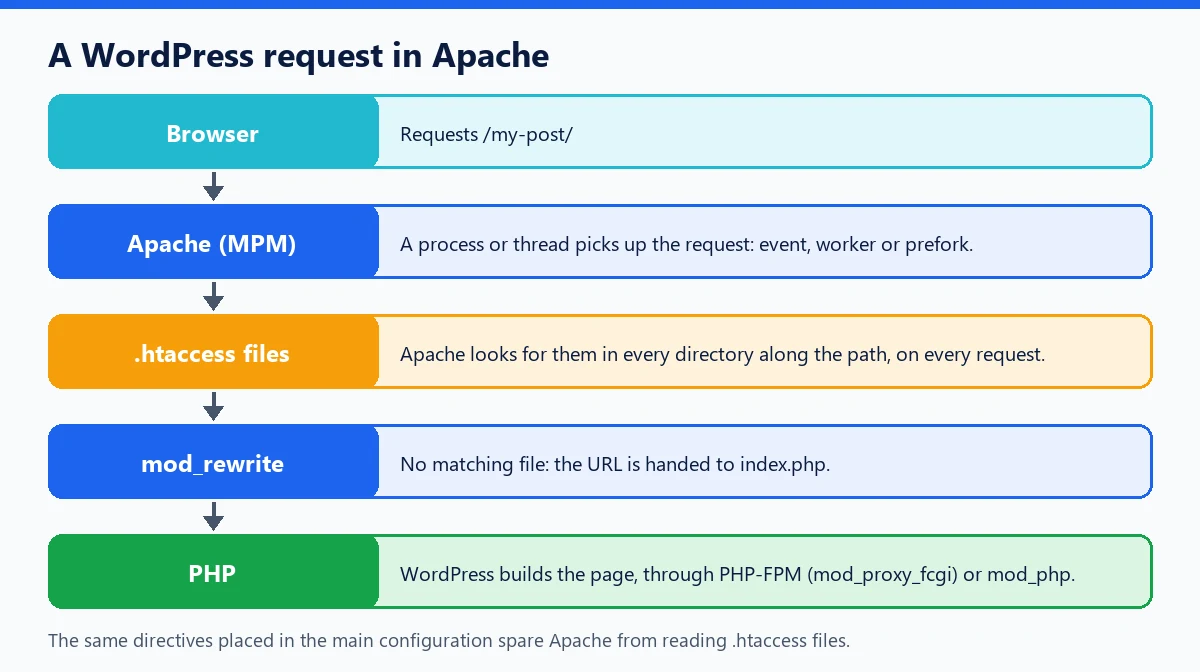
Apache is modular: each feature (URL rewriting, compression, TLS, authentication) comes from a module you can load or leave out. Connection handling itself depends on an MPM (Multi-Processing Module), and only one can be loaded at a time:
- event: the default on almost every modern system. A dedicated thread watches idle connections, which frees worker threads for active requests.
- worker: several threads per process, each one holding its connection from start to finish.
- prefork: one process per request, no threads, for compatibility with older modules that aren't thread-safe.
For PHP, two approaches coexist: mod_php, which embeds PHP inside Apache and has traditionally gone hand in hand with prefork, and PHP-FPM, a separate service that Apache passes scripts to through mod_proxy_fcgi. The second pairs better with the event MPM and allows one system user per site.
The .htaccess file
The .htaccess file lets you change a directory's configuration without touching the server's. That's what makes Apache so convenient on shared hosting: WordPress writes its permalink rules there, and security or caching plugins add their own. The Apache documentation points out two trade-offs, though. On performance, once .htaccess files are allowed, Apache looks for them in every directory along the path and rereads them on every request. On security, they let users change the server configuration. Hence its advice: if you have access to the main configuration, put your directives there.
Note that since Apache 2.4, the AllowOverride directive defaults to None, so .htaccess files are ignored until they are explicitly allowed. On a server you set up yourself, this is a classic reason why WordPress permalinks return a 404 error.
For WordPress
The block of rules WordPress writes to .htaccess, between the # BEGIN WordPress and # END WordPress markers, sends to index.php any URL that matches neither an existing file nor an existing directory:
# BEGIN WordPress
RewriteEngine On
RewriteRule .* - [E=HTTP_AUTHORIZATION:%{HTTP:Authorization}]
RewriteBase /
RewriteRule ^index\.php$ - [L]
RewriteCond %{REQUEST_FILENAME} !-f
RewriteCond %{REQUEST_FILENAME} !-d
RewriteRule . /index.php [L]
# END WordPress
It requires the mod_rewrite module. The same file is used to restrict access to wp-admin by IP address or password and to block access to sensitive files such as .env or .sql backups. Only put your own rules outside the WordPress markers, since that section can be rewritten.
Behind a proxy or a CDN, Apache sees the proxy's address rather than the visitor's: the mod_remoteip module fixes that. In the Pro version, WP Feint generates alias rules suited to Apache and its compatible servers; our page on server compatibility lists the supported setups.
Apache, Nginx or LiteSpeed?
Nginx is built on an event-driven architecture and ignores .htaccess files. LiteSpeed is designed as a drop-in replacement for Apache that reads its configuration and its .htaccess files. Many hosts actually combine Nginx in front with Apache behind it, to keep .htaccess compatibility.