

XML-RPC started out as a generic protocol: a program sends an XML request naming a method and its parameters, and the server runs it and replies in XML. In WordPress, it takes the form of the xmlrpc.php file at the root of the site. It dates from a time when people wrote their posts in desktop software, and it implements the old Blogger, metaWeblog and Movable Type APIs in addition to WordPress's own wp.* methods.
What XML-RPC is used for today
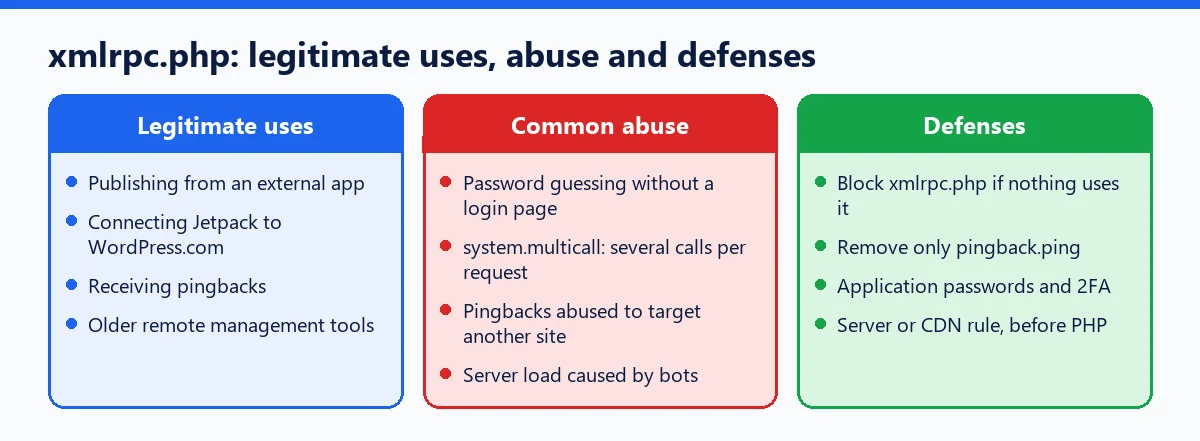
- Remote publishing from an app or external tool that authenticates with a username and password.
- Receiving pingbacks, the notifications sent by another blog that links to you (the
pingback.pingmethod). - Running certain services, including Jetpack, whose connection to WordPress.com goes through
xmlrpc.php.
Since the REST API arrived in core, most of these needs have a more modern solution. Many sites no longer use XML-RPC at all, yet it remains enabled by default.
The risks
The official WordPress documentation names xmlrpc.php as a frequent brute-force target: every publishing call accepts a username and password, with no page to load and no cookie. In October 2015, Sucuri described attacks that used the system.multicall method to test hundreds of passwords in a single HTTP request. WordPress 4.4 limited this amplification: after one authentication failure, the following calls in the same request fail too. The method nevertheless remains a source of load and a common reason for blocking at the firewall level.
Pingbacks raise another problem. To verify a pingback, WordPress fetches the page that claims to link to it, at an address supplied by the sender. Thousands of sites can thus be used as relays in a DDoS attack against a single victim, without having been hacked.
For WordPress: shutting down or limiting XML-RPC
An often misunderstood point: the xmlrpc_enabled filter doesn't disable XML-RPC. Its documentation states that it only turns off methods that require authentication, not pingbacks. Depending on your use:
- No use at all: block
xmlrpc.phpat the server or CDN level (a<Files "xmlrpc.php">block on Apache,location = /xmlrpc.php { deny all; }on Nginx). It is the only method that also spares PHP the load. - Jetpack: the same block, with an exception for the IP addresses published by Jetpack.
- Remote publishing: keep the file, remove
pingback.pingwith thexmlrpc_methodsfilter, and use application passwords, which can be revoked one by one.
After the change, open /xmlrpc.php in a private window: the response should be 403 or 404. Our article XML-RPC on WordPress: risks, uses and disabling it compares the methods in detail. If you keep XML-RPC, two-factor authentication on publishing accounts makes stolen passwords far less useful.
WP Feint's Hardening module handles XML-RPC in the free version: a first level removes the pingback methods, the next makes xmlrpc.php return a 404 error, with a warning that Jetpack and some apps will stop working. Since the blocking is done by WordPress, PHP still runs: a server or CDN rule removes that load as well. Requests to the closed URL are counted as a bot trap.